IFTA reporting from your ELD data
Miles by jurisdiction from GPS and odometer, fuel from the cab, and a quarterly report ready to file.
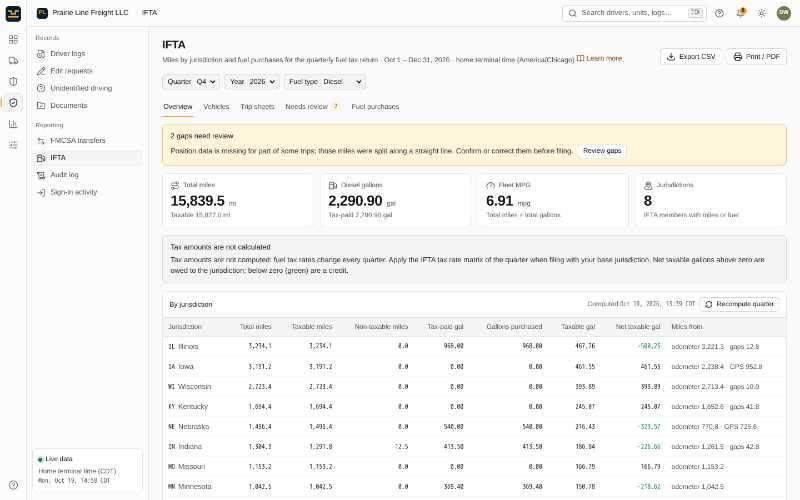
What you get
Miles by jurisdiction
Worked out from the vehicles’ GPS positions and odometer readings that the ELD already records.
Gaps flagged for review
Missing or suspicious stretches are listed before you file, with manual adjustments when you need them.
Fuel from the cab
Drivers record fuel purchases with a receipt photo in the app; the office can add them in the portal or import a CSV.
Quarterly report
Net taxable gallons per jurisdiction for the quarter, recomputed on demand and exported to CSV.
Learn more in the help centre
Related features
Built to the FMCSA ELD technical specification (49 CFR Part 395, Subpart B, Appendix A). FMCSA registration is in progress.
Run your fleet from one place
Start a 14-day free trial. No credit card, no long setup: add your trucks and drivers and you are ready to roll.